%20suggest%20a%20game%20in%20play.%20Palette%20matches%20the%20product%20design%20tokens:%20sky%20500/600%20(%234E97CC/%2335789F),%20sky%20700%20(%232C617F),%20apricot%20accent%20(%23E8935E),%20warm%20white%20(%23FDFCF8).%20--%3e%3cdefs%3e%3clinearGradient%20id='bgc-table-top'%20x1='32'%20y1='6'%20x2='32'%20y2='58'%20gradientUnits='userSpaceOnUse'%3e%3cstop%20offset='0'%20stop-color='%234E97CC'/%3e%3cstop%20offset='1'%20stop-color='%2335789F'/%3e%3c/linearGradient%3e%3c/defs%3e%3c!--%20table%20depth%20--%3e%3crect%20x='13'%20y='17'%20width='38'%20height='38'%20rx='9'%20transform='rotate(45%2032%2036)'%20fill='%232C617F'/%3e%3c!--%20tabletop%20--%3e%3crect%20x='13'%20y='13'%20width='38'%20height='38'%20rx='9'%20transform='rotate(45%2032%2032)'%20fill='url(%23bgc-table-top)'/%3e%3c!--%20token%20pips%20--%3e%3ccircle%20cx='32'%20cy='23.5'%20r='5'%20fill='%23E8935E'/%3e%3ccircle%20cx='23.5'%20cy='35'%20r='5'%20fill='%23FDFCF8'/%3e%3ccircle%20cx='40.5'%20cy='35'%20r='5'%20fill='%23FDFCF8'/%3e%3c/svg%3e)
Step 1: Create Your Game
Create your account, then create your first game project in Projects. This takes about five minutes.
Create your account
- Click Log In at the top right, then choose the sign up option (or go straight to the Sign Up page).
- Enter your email and a password (at least 6 characters), agree to the Terms of Service and Privacy Policy, and click Sign up with email.
- Check your inbox for a verification email and click the link inside it. This activates your account.
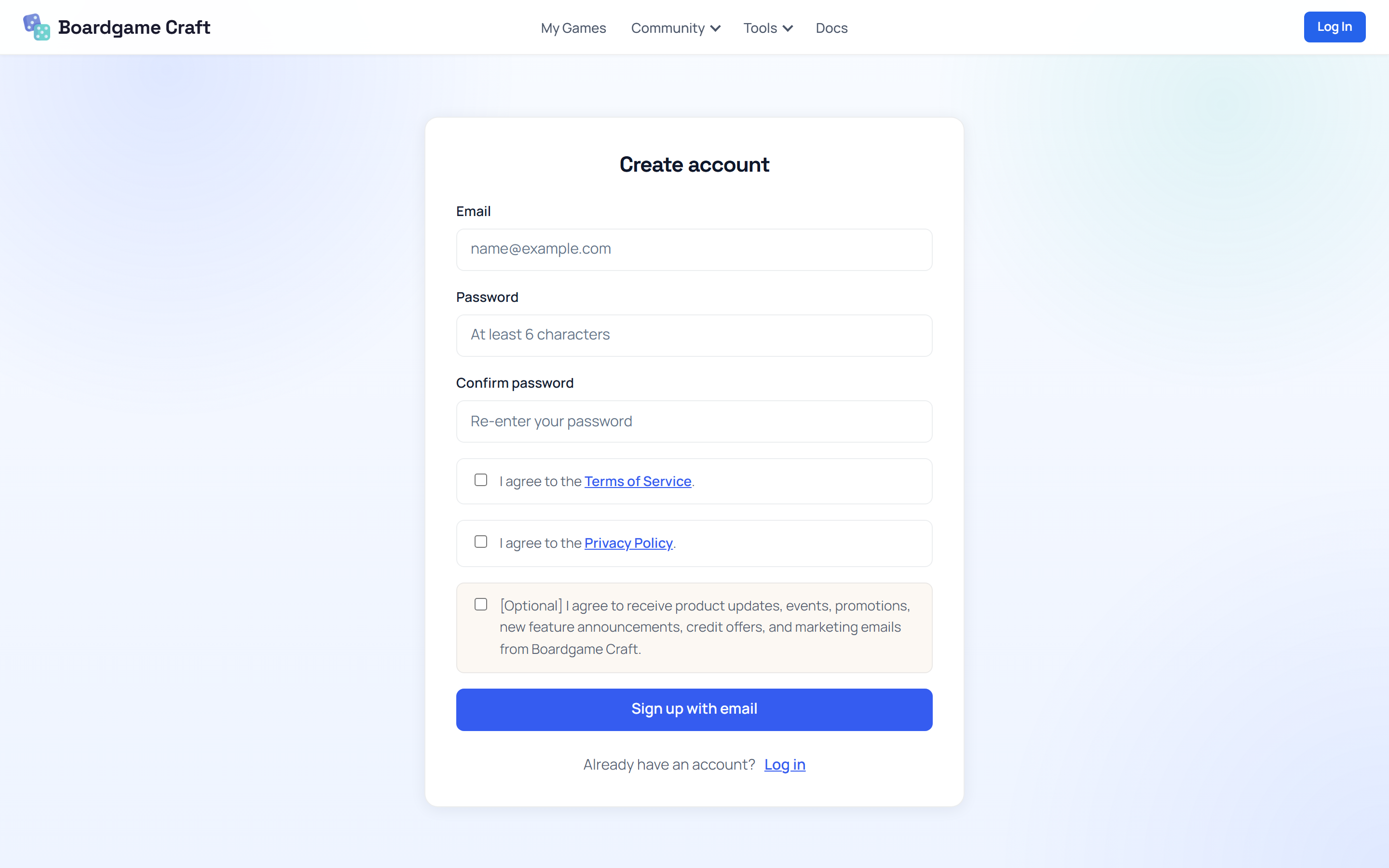
Welcome bonus: every new account starts with 1,000 Credits for AI features. You don't need Credits for the basics — making games, cards, and playing is free.
Create your first game
A "game" in Boardgame Craft is a project folder. It holds your table setup, your rulebook, and everything else that belongs to one game idea.
- Open Projects from the top menu.
- Click + New Game.
- Give it a Name (and a short Description if you like), then click Create.
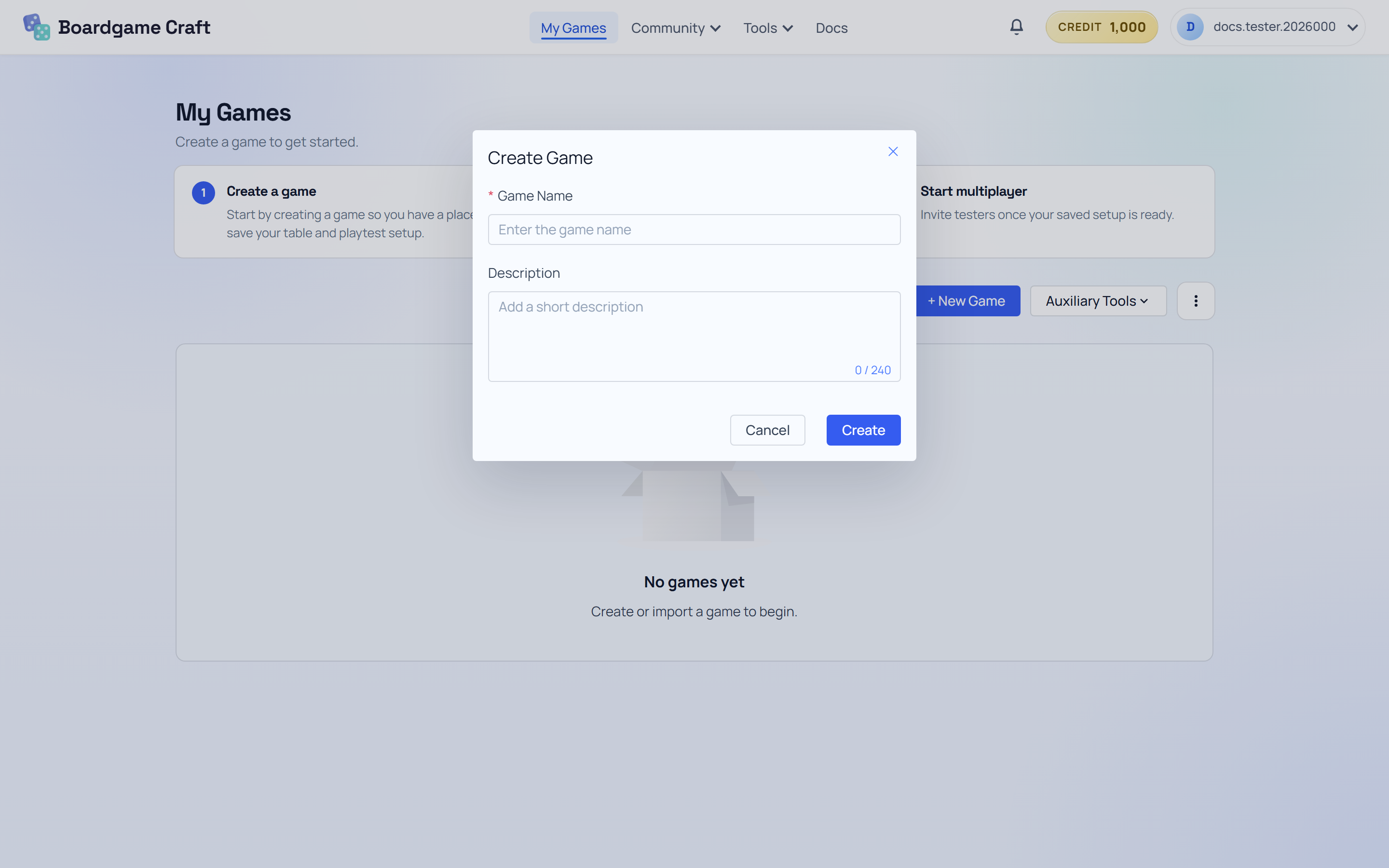
That's it — your game now appears as a card in the Projects list. The card says "Set up the table first", which is exactly what we'll do in Step 3.
Next up
Your game project exists, but it has no cards yet. Let's fix that in Step 2: Build Your Cards.