%20suggest%20a%20game%20in%20play.%20Palette%20matches%20the%20product%20design%20tokens:%20sky%20500/600%20(%234E97CC/%2335789F),%20sky%20700%20(%232C617F),%20apricot%20accent%20(%23E8935E),%20warm%20white%20(%23FDFCF8).%20--%3e%3cdefs%3e%3clinearGradient%20id='bgc-table-top'%20x1='32'%20y1='6'%20x2='32'%20y2='58'%20gradientUnits='userSpaceOnUse'%3e%3cstop%20offset='0'%20stop-color='%234E97CC'/%3e%3cstop%20offset='1'%20stop-color='%2335789F'/%3e%3c/linearGradient%3e%3c/defs%3e%3c!--%20table%20depth%20--%3e%3crect%20x='13'%20y='17'%20width='38'%20height='38'%20rx='9'%20transform='rotate(45%2032%2036)'%20fill='%232C617F'/%3e%3c!--%20tabletop%20--%3e%3crect%20x='13'%20y='13'%20width='38'%20height='38'%20rx='9'%20transform='rotate(45%2032%2032)'%20fill='url(%23bgc-table-top)'/%3e%3c!--%20token%20pips%20--%3e%3ccircle%20cx='32'%20cy='23.5'%20r='5'%20fill='%23E8935E'/%3e%3ccircle%20cx='23.5'%20cy='35'%20r='5'%20fill='%23FDFCF8'/%3e%3ccircle%20cx='40.5'%20cy='35'%20r='5'%20fill='%23FDFCF8'/%3e%3c/svg%3e)
Step 3: Play on the Table
Open the 3D simulator, place your game pieces on the table, save the setup, and invite a friend with a room code.
Open the simulator
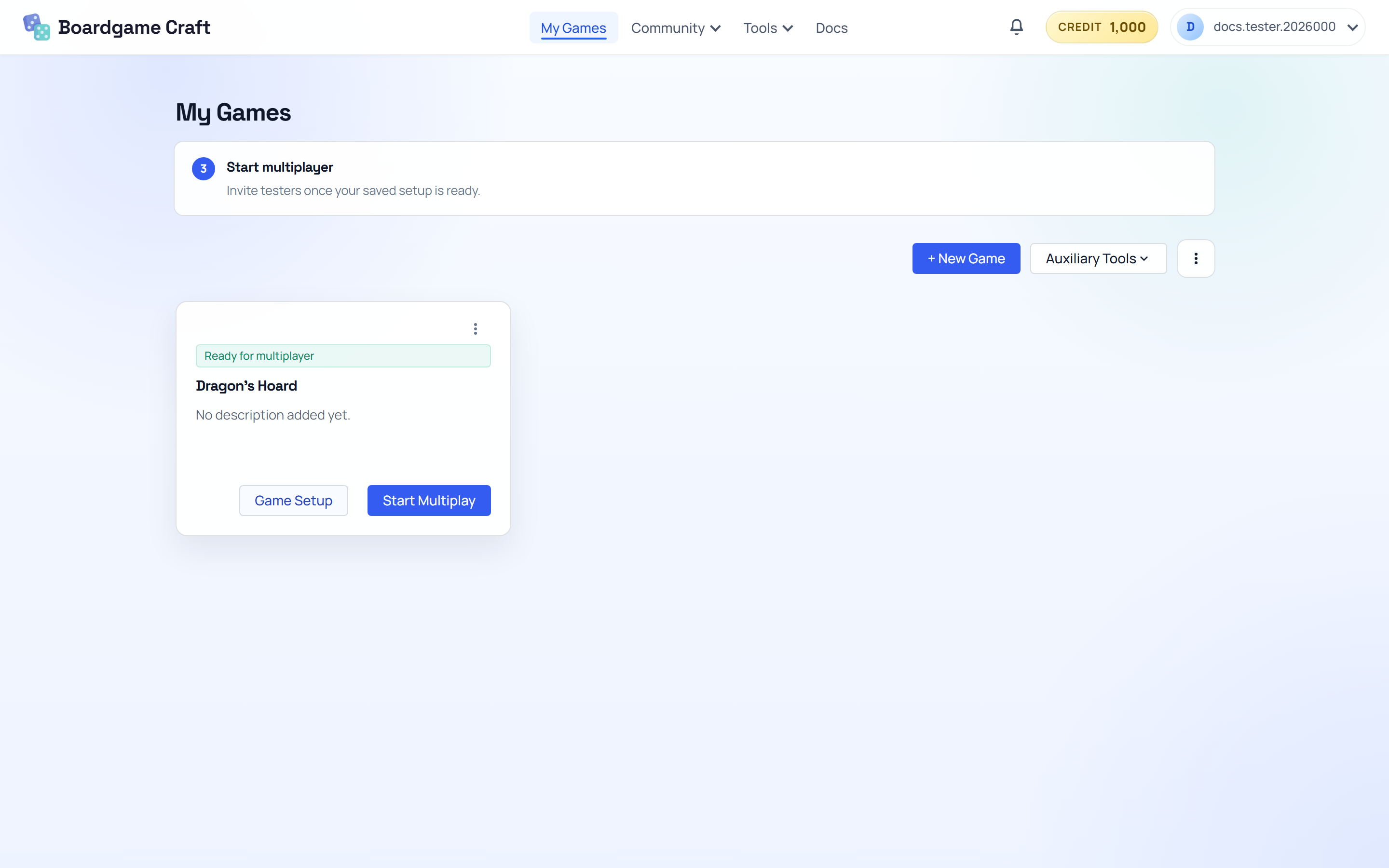
- Go to Projects.
- On the project card, click Table Setup.
Add components to the table
On the left side, expand Add Components. Click any component type to place it on the table:
- Board, Tile, Card, Card Deck — the core pieces of most games.
- Dice, Marker, Token, Counter, Spinner, Dial, Bag, Timer — the extras that make games tick.
Drag objects to move them around. Use the camera presets (Wide View, Top View, Angled View) to look at the table from different angles.
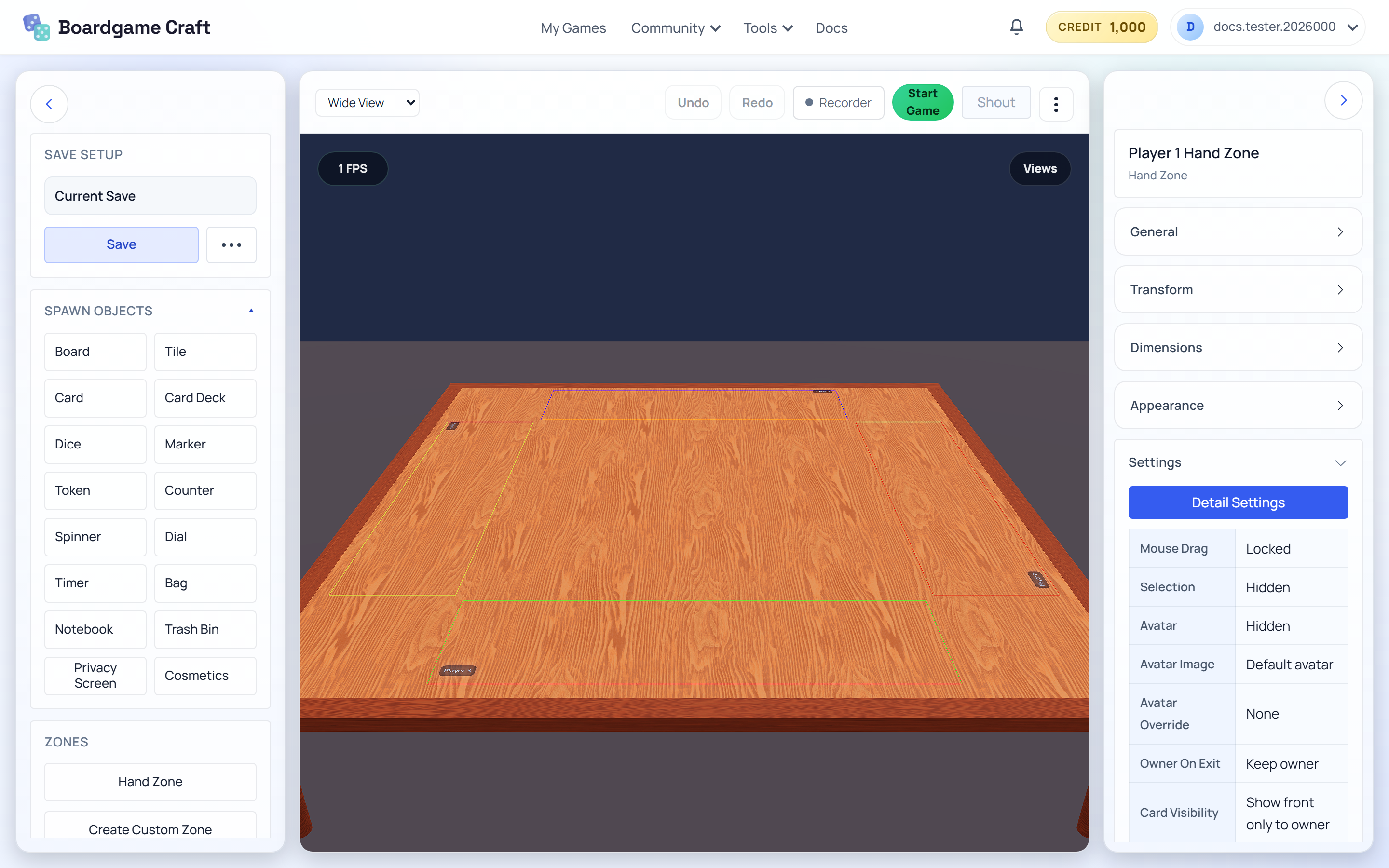
Add a Hand Zone so each player has a private area for their cards — other players can't see what's inside it.
Select and edit a component
- Select the component you just added on the table.
- Use the inspector on the right to change its position, size, and appearance.
- For a card, choose Edit Card Content to change its name and images. Use Card Behavior for play rules.
Need to update several components at once? Expand Manage Components on the left and choose Edit All Components.
Save your setup
Click Save in the save panel. This stores the whole table — objects, positions, everything — so a multiplayer room can load it later.
Don't skip this! Multiplayer rooms load your saved setup. If you never save, there's nothing to play.
Invite a friend
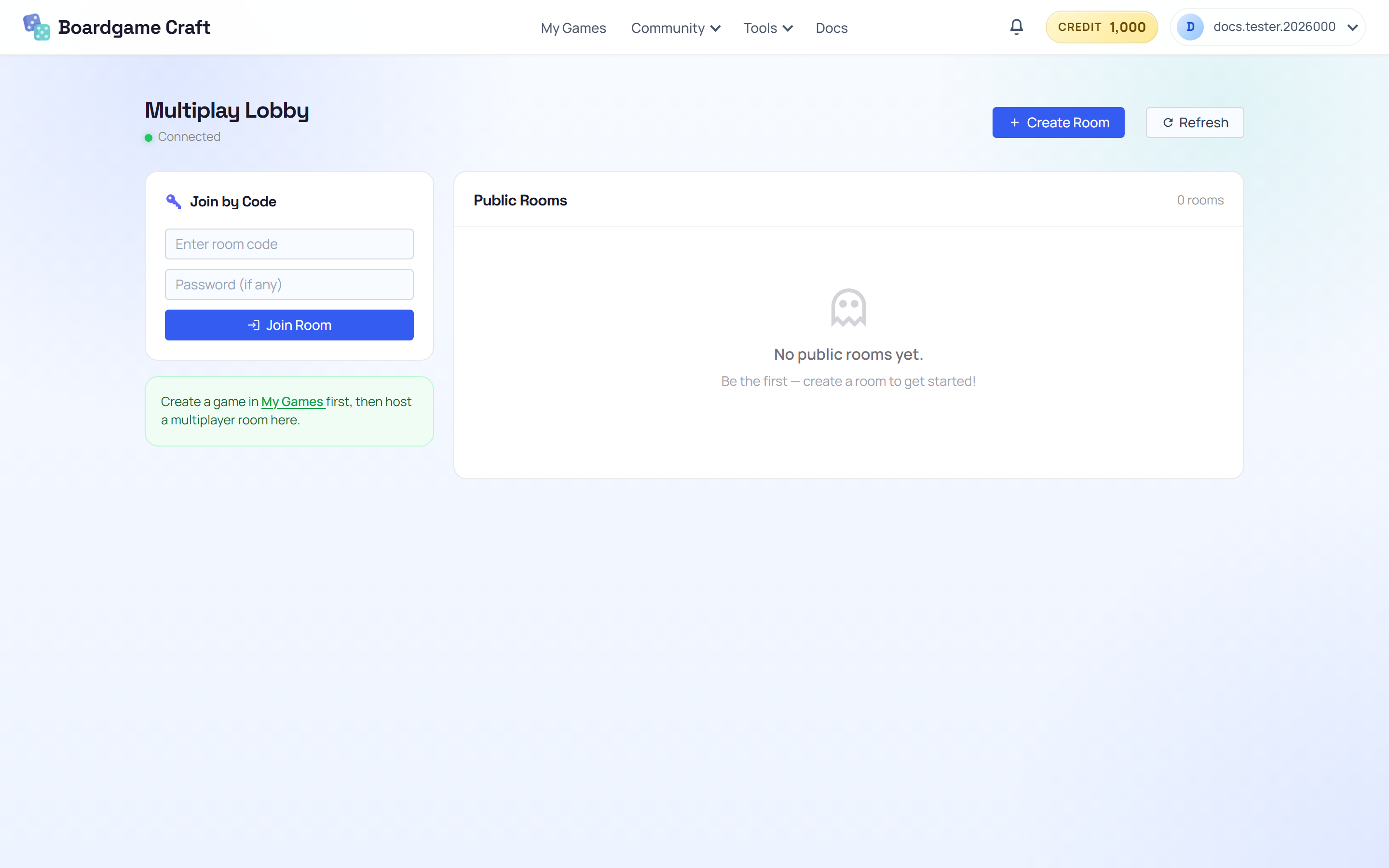
- Back in Projects, click Playtest Lobby on your project card.
- In the Playtest Lobby, click Create Room, pick your saved file, and set how many players can join.
- Share the room code with your friend. They open the Playtest Lobby, type the code under Join by Code, and land at the same table as you.
🎉 You did it
That's the whole loop: create → build → play. From here, explore the rest of the docs to level up each part — better card designs in the Template Editor, AI-generated artwork in the Card Deck Editor, or ready-made 3D pieces from the Marketplace.