%20suggest%20a%20game%20in%20play.%20Palette%20matches%20the%20product%20design%20tokens:%20sky%20500/600%20(%234E97CC/%2335789F),%20sky%20700%20(%232C617F),%20apricot%20accent%20(%23E8935E),%20warm%20white%20(%23FDFCF8).%20--%3e%3cdefs%3e%3clinearGradient%20id='bgc-table-top'%20x1='32'%20y1='6'%20x2='32'%20y2='58'%20gradientUnits='userSpaceOnUse'%3e%3cstop%20offset='0'%20stop-color='%234E97CC'/%3e%3cstop%20offset='1'%20stop-color='%2335789F'/%3e%3c/linearGradient%3e%3c/defs%3e%3c!--%20table%20depth%20--%3e%3crect%20x='13'%20y='17'%20width='38'%20height='38'%20rx='9'%20transform='rotate(45%2032%2036)'%20fill='%232C617F'/%3e%3c!--%20tabletop%20--%3e%3crect%20x='13'%20y='13'%20width='38'%20height='38'%20rx='9'%20transform='rotate(45%2032%2032)'%20fill='url(%23bgc-table-top)'/%3e%3c!--%20token%20pips%20--%3e%3ccircle%20cx='32'%20cy='23.5'%20r='5'%20fill='%23E8935E'/%3e%3ccircle%20cx='23.5'%20cy='35'%20r='5'%20fill='%23FDFCF8'/%3e%3ccircle%20cx='40.5'%20cy='35'%20r='5'%20fill='%23FDFCF8'/%3e%3c/svg%3e)
Template Editor
A template is the visual layout your whole deck is based on. Design it once, and every card in the deck follows it.
What is a template?
A template decides where things go on a card: the title at the top, the art in the middle, the cost in the corner. Your deck's data fills those slots automatically — one template, many cards.
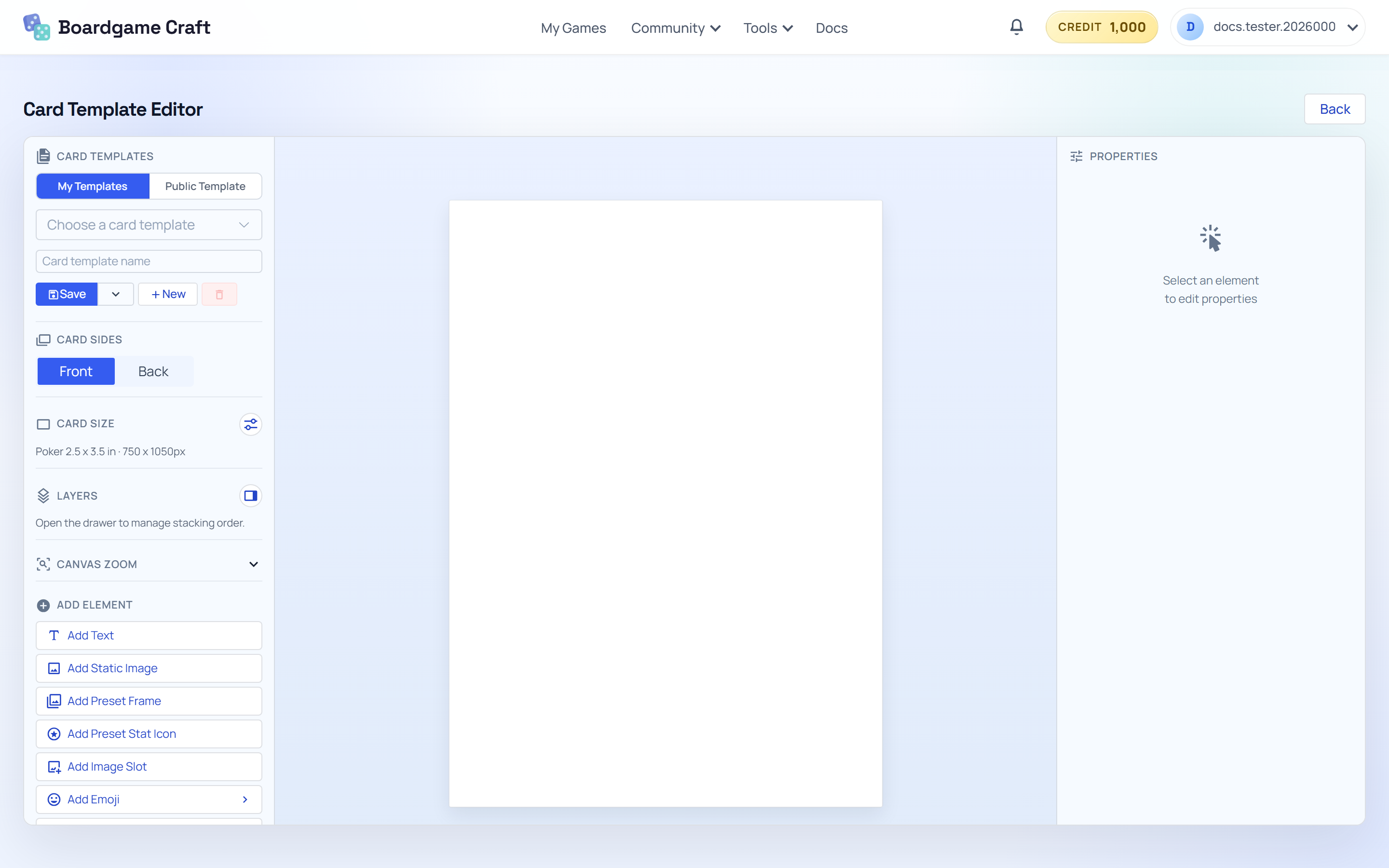
Editing a shared template
Heads up: if several decks use the same saved template, editing that template changes the look of all of them. Want a different look for just one deck? Save a copy of the template first, then edit the copy.
Guides in this section
- Foundations — create a template, set the card size, work with front and back sides, and add text, images, and shapes.
- Production Workflow — inline text formatting (mana symbols, keyword icons), saving and reloading, and connecting the template to your deck.
How templates connect to decks
The Template Editor is where you save the design. The Card Deck Editor is where you use it: pick the template for a deck side, then link deck columns to the template's field slots. After that, previews and exports render every card with your design.